-
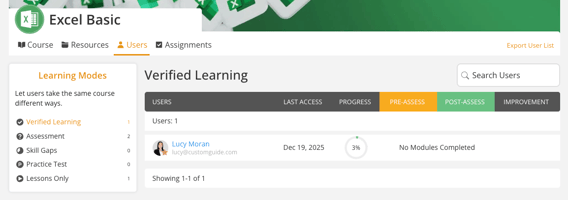
Go to the course page and select the Users tab.
-
The Users tab shows a list of enrolled users with their email, last access date, and progress details.
-
You can also use the Search Users bar to quickly find a specific user.
-
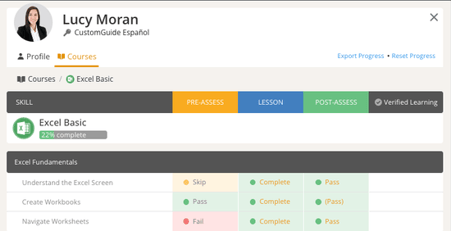
If you want to view a more detailed report, click on a user's name to see their pre-assessment, lesson, post-assessment, and improvement report.
-
Below the user details, you can track their course progress with:
- Pre-Assessment, Lessons, and Post-Assessment progress bars.
- Skill and Module Completion percentages.
- Lesson indicators like Not Started, Skip, Complete, Pass, or Incomplete.