
-
Go to the Users tab and find the user you want to view.
-
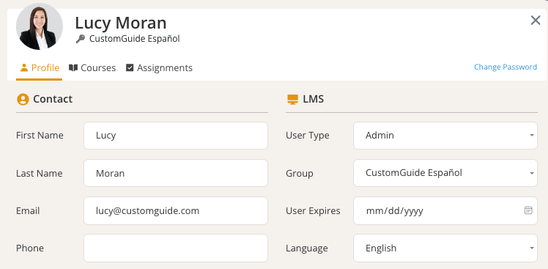
Click on the user’s name to open their profile.
-
From the user dialog, you can:
-
View User’s Courses: See a list of enrolled courses with progress details.
-
Export User Reports: Click Export User Courses to download course details.
-
Edit User Information: Update the user’s name, email, role, language, or group.
-
Expire User: Click User Expires and enter a date to expire their access.
-
Change Password: Click Change Password to reset the user’s password.
-
-
Click Close when you’re finished.