-
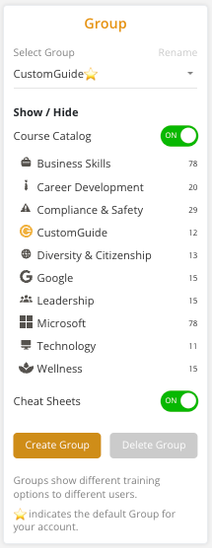
Groups allow you to organize users and control what training content they can access.
-
Each group can have different visibility settings for courses and cheat sheets.
- Use the Select Group dropdown to view different groups.
- The ⭐ star icon indicates the default group for your account.