
-
Go to the Users tab.
-
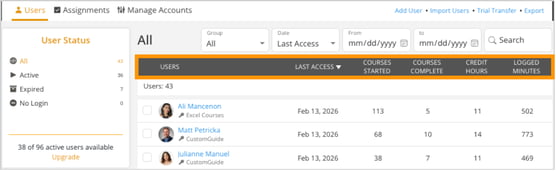
A list of users will be displayed. You can sort user data by clicking on any column heading:
-
Click any Column Heading to sort in Descending (Z-A) order.
-
Click the same Column Heading again to sort in Ascending (A-Z) order.
-
-
Sorting helps quickly find user activity and progress such as:
- Course Completed: Sort by the most or least recent completion.
- Courses Started: Sort by the highest or lowest number of courses started.
- Courses Complete: Sort by the highest or lowest number of courses finished.
- Credit Hours: Sort by the highest or lowest credit hours earned.
- Logged Minutes: Sort by the most or least time spent.