
-
On the Course Page, go to the Users tab.
-
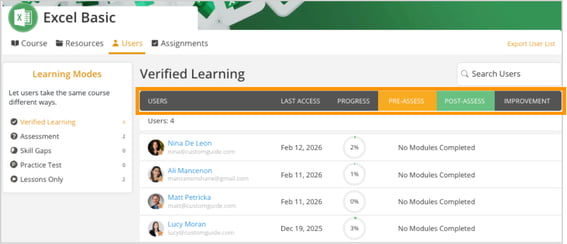
A list of enrolled users will be displayed.
-
Click any Column Heading to sort in Descending (Z-A) order.
-
Click the same Column Heading again to sort in Ascending (A-Z) order.
-
Sorting helps you quickly find users based on name, last access date, progress, or assessment completion.