
- Go to the Manage tab.
- Select your Group from the dropdown.
- Locate the Show / Hide section.
- Toggle Course Catalog:
- ON (green) – The group can see and access the full course catalog.
- OFF (gray) – The full course catalog is hidden from the group.
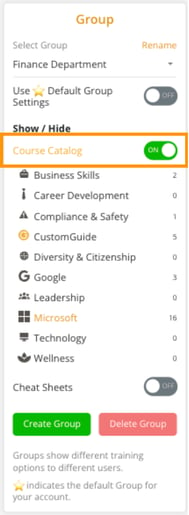
- When the Course Catalog is OFF, users in that group will only see content that has been specifically assigned to them.
- This setting helps control what training content different teams or departments can access.