
-
Go to the Assignments tab and select the assignment you want to set a due date for.
-
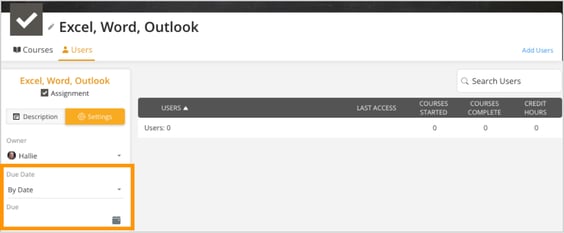
In the left-side section, Click on the Settings tab.
-
Locate the Due Date dropdown, and select either By Date or By Time Period from the options.
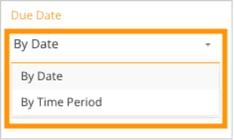
- If choosing By Date, click on the calendar icon and select the desired due date.
- If choosing By Time Period, enter the number of days after the assignment is given for it to be due. The due date will be calculated based on the date each user was last assigned the assignment.
- Confirm your selection and save the changes.
- The due date will now be applied to the assignment, ensuring users complete it within the specified timeframe.