
-
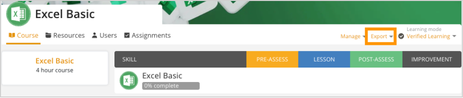
Open the Course you want to reset. In the course view, click Manage.
-
Select Reset Progress from the dropdown menu.
.png?width=510&height=108&name=customguide-cheat-sheet-2026%20(1).png)
-
A confirmation message will appear. Click Reset Progress to confirm.
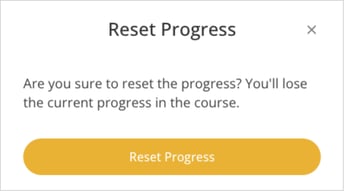
- Once done, your course progress will be reset, allowing you to start the course again from the beginning.