- On the Manage tab, go to Assignments.
- Find and click on the assignment from which you want to remove users.
-
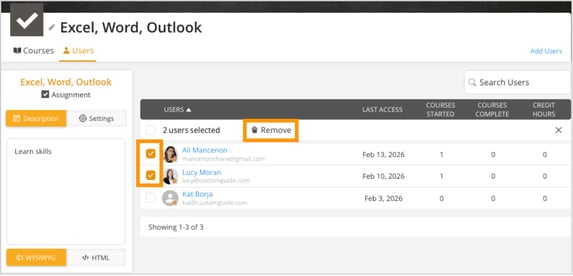
Go to the Users tab to view the list of assigned users.
-
Click the checkbox next to the user's name.
-
Once user(s) are selected, click the Remove button to remove them from the assignment.