
-
Go to the Assignment tab.
-
Find and click on the assignment from which you want to remove courses.
-
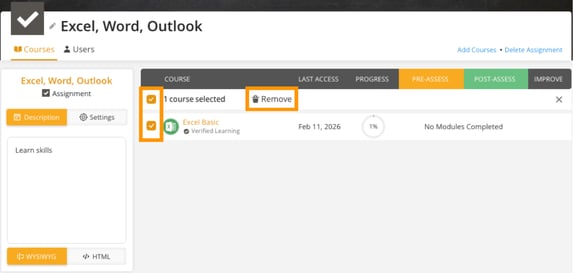
Locate the course you want to remove and select the checkbox before its name.
-
Click the Remove button to delete the selected course(s) from the assignment.
-
Removing a course will immediately take it out of the assignment, making it unavailable to users assigned to this assignment.