
-
Go to the Users tab.
-
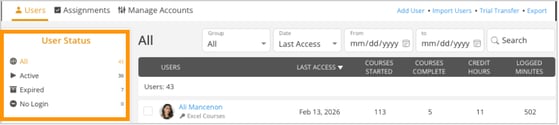
Use the User Status panel on the left to filter users:
-
All Users: Displays all users in the system.
-
Active Users: Users without a User Expires date; counts towards your Active User license. Active Users have access to CustomGuide.
-
Expired Users: Users with a User Expires date; counts towards your Active User license. Expired Users DO NOT have access to CustomGuide.
-
No Login: Users who have been added but have not yet logged in.
-
-
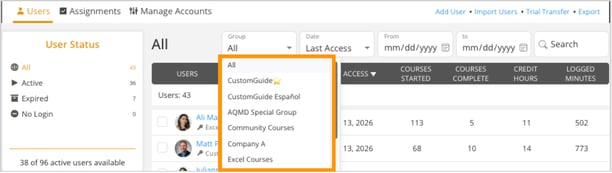
Apply the Group filter to view users based on their assigned groups.
-
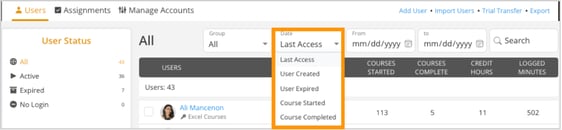
Use the Date dropdown to filter users by specific events:
-
Last Access: Shows when users last logged in.
-
User Created: Filters users by when they were added.
-
User Expired: Shows users based on when their access ended.
-
Course Started: Filters by course start date.
-
Course Completed: Filters by course completion date.
-
-
Set a custom date range using the From and To fields to narrow down results.
