-
Go to the course page you want to export.
-
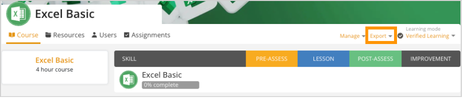
At the top-right, find the Export dropdown next to the course name.
-
Click Export and select either:
-
SCORM 1.2 – to export in SCORM 1.2 format.
-
SCORM 2004 – to export in SCORM 2004 format.
-
xAPI (TinCan) – Exports the course in xAPI (TinCan) format.
-1.png?width=462&height=98&name=customguide-cheat-sheet-2026%20(1)-1.png)
-
-
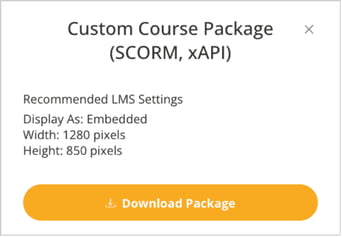
A pop-up with a recommended LMS settings will appear. Click Download Package to download the course in the selected format.