
-
Go to the Assignments tab and find the assignment you want to delete.
-
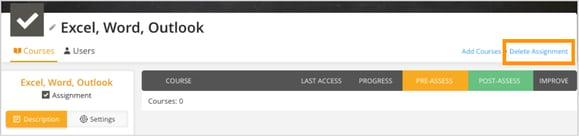
In the top-right corner, click Delete Assignment
-
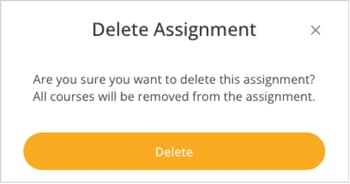
Click Delete to confirm.
-
Once deleted, all courses in this assignment will be removed.
Go to the Assignments tab and find the assignment you want to delete.
In the top-right corner, click Delete Assignment
Click Delete to confirm.
Once deleted, all courses in this assignment will be removed.