
-
Go to the Courses home page and find the course you want to clone.
-
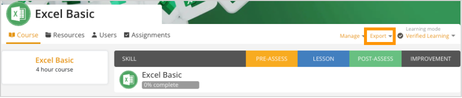
In the top-right corner, click Manage near the Export dropdown.
-
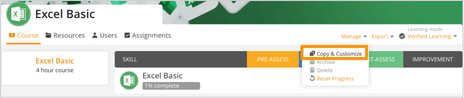
Select Copy & Customize to create a duplicate of the course for editing.
-
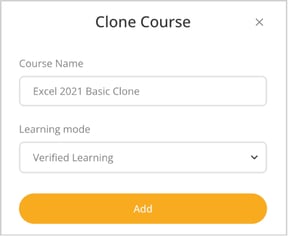
In the Copied Course window you can:
- Review or edit the Course Name.
- Choose a Learning Mode from the dropdown including Verified Learning, Skill Gaps, Assessment, Practice Test, or Lessons Only.
- Click Add to create the cloned course.
- Keep in mind that a cloned course automatically reflects updates from the original, allowing you to change learning modes but not edit the content or outline.