
-
Go to the Users tab and find the user you want to view.
-
Click on the user’s name to open their profile.
-
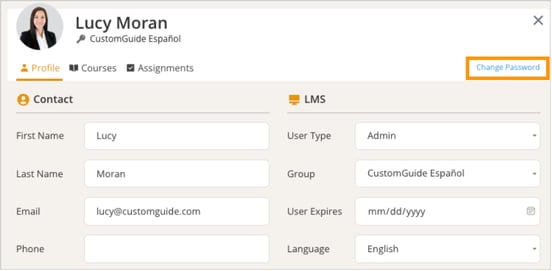
From the user dialog, click Change Password button at the top-right corner of your details section.
-
Enter your current password, followed by your new password.

-
Once confirmed, click Save.
-
Click Close when you’re finished.