
- Click Settings. Select the Branding tab.
- Scroll down to the Feed Settings section.
-
Choose your preferred option from each dropdown.
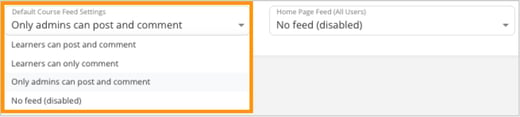
- Default Course Feed Settings: Controls who can post and comment within course feeds.
- Learners can post and comments
- Learners can only comment
- Only admins can post and comment
- No feed (disabled)
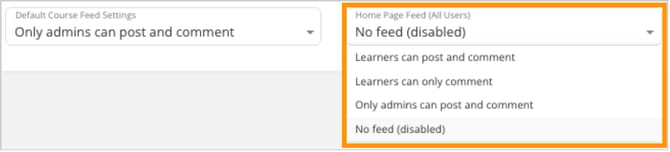
- Home Page Feed (All Users): Controls what feed appears on the main Home page.
- Learners can post and comments
- Learners can only comment
- Only admins can post and comment
- No feed (disabled)
- Default Course Feed Settings: Controls who can post and comment within course feeds.
-
Select your preferred feed option from the dropdown.