
-
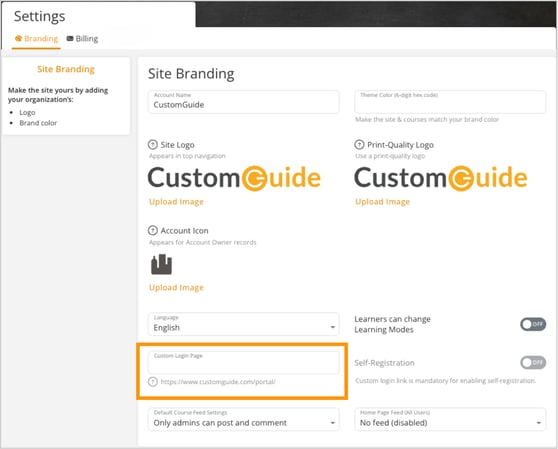
Click Settings. Select the Branding tab.
-
Scroll down to the Custom Login Page section.
-
Click the Custom Login Page field and enter your custom login link.
-
Make sure the link follows these Page Name Requirements:
- No spaces or special characters.
- Can include letters, numbers, hyphens, and underscores.
- Maximum length: 45 characters.
-
The changes save automatically.