-
Go to the Manage tab.
-
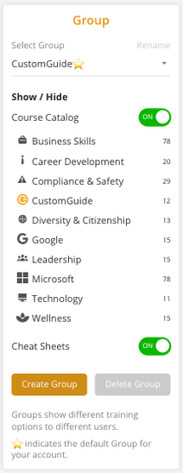
Select your Group from the dropdown.
-
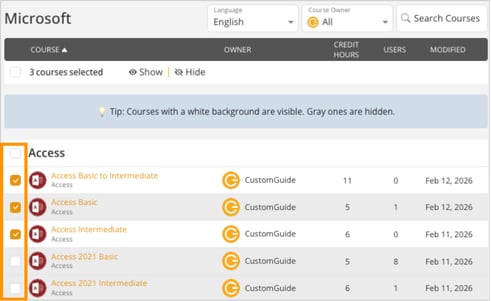
Select the category (e.g., Microsoft, Access, etc.) to view available courses.
-
Check the box next to one or more courses.
-
Choose an action:
- Click Show to make the selected courses visible to the group.
- Click Hide to remove course visibility for the group.
- Courses with a white background are visible to the group.
- Courses with a gray background are hidden.
- You can select multiple courses at once to update visibility in bulk.