
-
Go to the copied course you created.
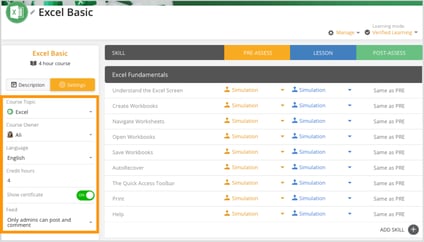
- In the left panel, click Settings.
- Update any of the following as needed:
- Course Topic
- Course Owner
- Language
- Credit Hours
- Certificate (toggle ON/OFF)
- Feed settings
- After making your changes, make sure they are saved (if applicable).