
-
Click Settings. Select the Branding tab.
-
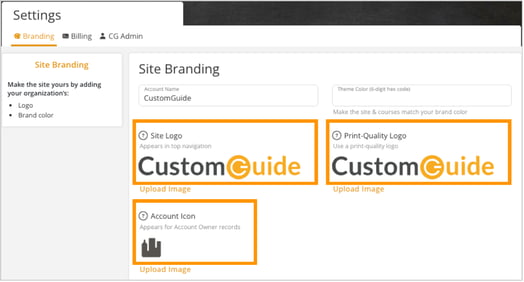
Click Upload Image to add your company logo:
-
Site Logo: Appears in the top navigation.
-
Print-Quality Logo: Used for Branded Cheat Sheets materials.
-
Account Icon: Displays for the account owner’s records.
-
-
Select an image file from your computer to update the site with your company logo.
-
The updates will apply automatically once the upload is complete.