
-
Go to the Assignment tab.
-
Find and click on the assignment you want to add users to.
-
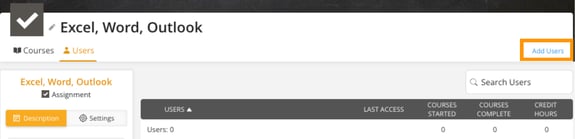
Select the Users tab, then click Add Users in the top-right corner.
-
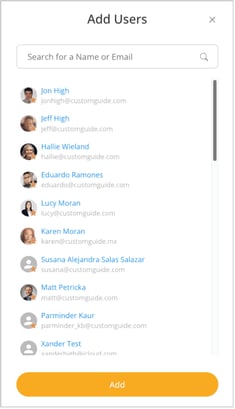
A pop-up window will appear, allowing you to search for users by name or email.
-
Click Add to assign the selected users to the assignment.