
-
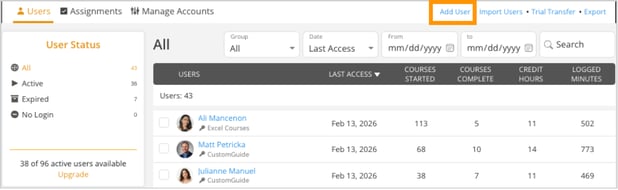
Go to the Users tab.
-
Click Add User in the top-right corner.
-
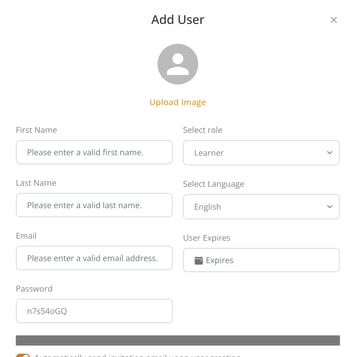
Enter the user’s information. Choose an easier-to-remember initial password, if desired.
-
Scroll down and click Save to confirm.
Go to the Users tab.
Click Add User in the top-right corner.
Enter the user’s information. Choose an easier-to-remember initial password, if desired.
Scroll down and click Save to confirm.