
-
Go to the copied course you created.
-
Scroll to the bottom of any module outline until you see the Add Skill section.
-
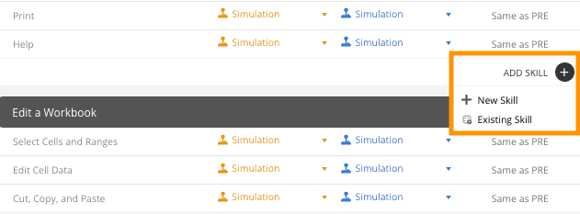
Click the + icon next to Add Skill to open a menu with two options.
-
To add a New Skill:
-
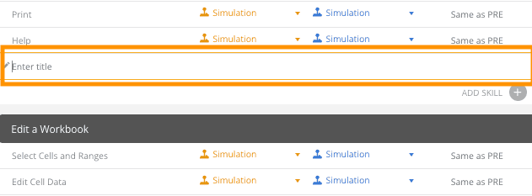
Add the topic or skill name in the block that appears, then click any button to save.
-
You can drag the added skill to move it up or down in the list using the handle on the left.
-
To delete the skill, use the trash icon on the right.
-
-
To add an Existing Skill:
-
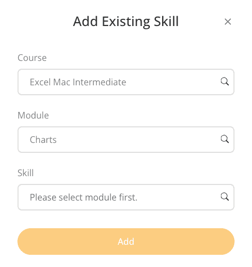
A pop-up window will appear where you can select the Course containing the skill.
-
After selecting the course, choose the Module from that course.
-
Once the module is selected, choose the specific Skill you want to add.
-
Click Add to complete.
-