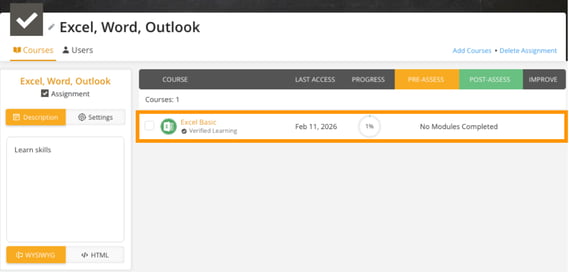
-
Go to the Assignments tab.
-
Find and click on the assignment you want to add courses to.
-
Select the Courses tab and click Add Courses in the top-right corner.
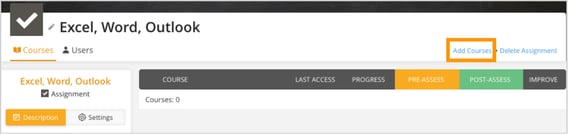
-
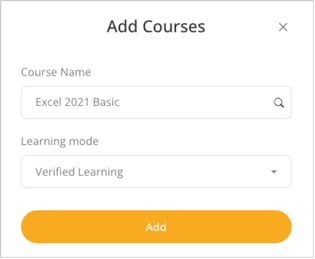
A pop-up window will appear where you can search for the courses you want to add.
-
Select the appropriate learning mode from the dropdown menu, choosing from options including Verified Learning, Skill Gaps, Assessment, Practice Test, or Lessons Only.
-
Click Add to include the selected course in the assignment.